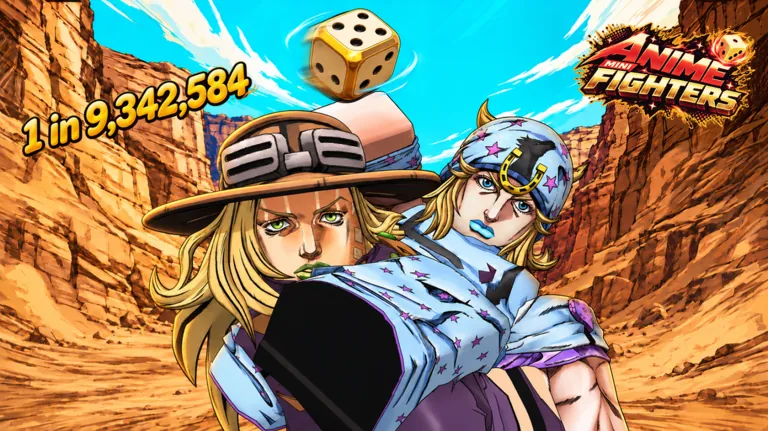
 Official Anime Mini Fighters imagery; in-game systems may change after updates.
Searching for Anime Mini Fighters youtube brings up community videos covering dice rolling, unit collecting, auto-farming strategies, and gameplay showcases for the Roblox experience. Content creators demonstrate how to progress through worlds, optimize team compositions, and manage offline coin earnings. Knowing what to look for in community videos helps players learn mechanics safely while avoiding unverified third-party software.
What Content Do Creators Share for Anime Mini Fighters?
Community videos for Anime Mini Fighters generally focus on showing off team builds, progression speed, and showcase runs through high-level content. Because the game revolves around rolling dice to summon tiny anime fighters and clearing various stages, players often upload showcases of rare units and high-tier worlds.
- Summoning Showcases: Players record their dice rolls to show off the visual effects and stats of high-rarity units, such as Celestial rarity fighters.
- Progression Demonstrations: Videos highlight effective setups for clearing the Heavenly Tower, Infinity Castle, or Alucardo's Keep.
- Feature Breakdowns: Content creators walk through mechanics like hunting rare traits, mutations, and utilizing offline coin earnings.
How to Follow Anime Mini Fighters Video Guides Safely
When browsing video platforms for Anime Mini Fighters content, players frequently encounter videos promoting third-party scripts, auto-farmers, or external links. Roblox strictly prohibits the use of unauthorized scripts and third-party software under its Terms of Use.
- Focus on Legitimate Gameplay: Look for videos that explain game mechanics, world progression, and trait optimization through standard gameplay.
- Avoid External Downloads: Do not download files or join external chat servers to obtain scripts, as these can compromise account security or result in account bans.
- Verify Official News: Check official game pages or group announcements for official update details rather than relying entirely on video titles.
Key Features Showcased in Anime Mini Fighters Content
Videos created by the community often highlight the primary gameplay loops established by the developer, Gaming Squad Studios. Understanding these core mechanics makes it easier to follow video walkthroughs.
| Game Feature | What Content Creators Show | Official Mechanics |
|---|---|---|
| Summoning | Rolling dice for rare units and Celestial rarity. | Stack luck stats and chase rare units. |
| Progression | Clearing 20 worlds and climbing the Heavenly Tower. | Party up for hourly GATE events like Infinity Castle. |
| Character Growth | Rolling team traits, mutations, and unit evolution. | Rebirth to gain permanent strength boosts. |
| Offline Earnings | Managing squad setups before logging off. | Units continue earning coins while offline. |
How to Get Official Updates and Game Boosts
While video platforms offer gameplay previews, official updates and developer perks are managed directly on the Roblox platform.
- Group Rewards: Joining the official creator group (Gaming Squad Studios) provides an official +10% luck bonus in-game.
- Update Logs: Read the official game description on the Roblox place page to verify new content additions, such as new worlds or unit updates.
FAQ
Where can I find official news for Anime Mini Fighters?
Official news, update notes, and event details are posted directly on the official Anime Mini Fighters Roblox place page managed by Gaming Squad Studios.
What should I do if a YouTube video links to an external script?
Avoid clicking external links or downloading third-party software offered in video descriptions, as using exploits violates Roblox terms of service and risks your account.
How do offline earnings work in Anime Mini Fighters?
Your equipped squad of fighters automatically generates coins while you are offline, allowing you to save up currency for dice rolls and upgrades between play sessions.