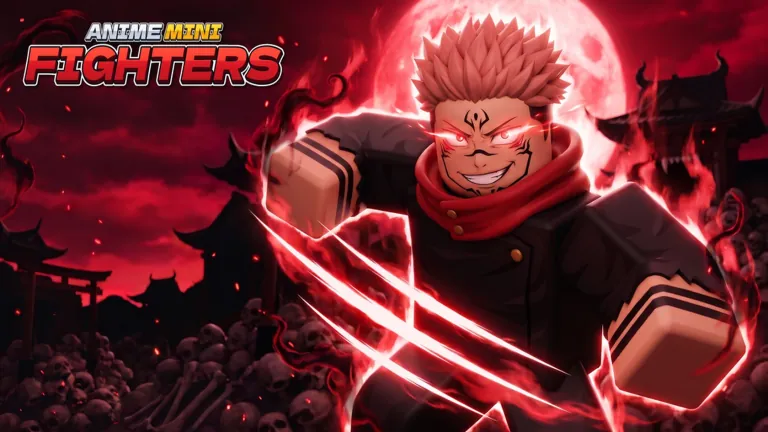
 Official Anime Mini Fighters imagery; in-game systems may change after updates.
Anime Mini Fighters mobile is fully accessible through the official Roblox app on iOS and Android devices, letting you roll dice for tiny anime fighters, stack luck, and battle through 20 distinct worlds on the go. Developed by Gaming Squad Studios, this Roblox experience brings offline coin farming, trait hunting, and Heavenly Tower progression directly to your smartphone or tablet.
How to Access Anime Mini Fighters on Mobile
Playing the game on a mobile device requires downloading the official Roblox client from your device's app store and launching the experience directly within the platform. Because the game runs entirely inside Roblox, your progress, stats, and unlocked units sync automatically if you log into the same account across mobile and PC.
- Open the App Store on iOS or the Google Play Store on Android.
- Search for and download the official Roblox application.
- Log into your existing Roblox account or create a new one.
- Tap the search icon inside the app and type Anime Mini Fighters.
- Select the official experience created by Gaming Squad Studios and tap the green Play button to launch.
Device Compatibility and Performance Requirements
Because the game runs inside the Roblox engine, performance depends on your mobile hardware rather than a standalone app installation. Modern iOS and Android devices handle the visual effects of rolling dice, summoning units, and particle-heavy boss gates smoothly, though older hardware may experience slight slowdowns during busy raid hours.
| Device Category | Operating System | Recommended Spec / Action |
|---|---|---|
| iOS Devices | iOS 13.0 or later | iPhone 8 or newer for stable frame rates |
| Android Devices | Android 5.0 and up | 3GB+ RAM and a mid-range processor |
| Graphics Settings | In-Game Roblox Menu | Lower graphics sliders if UI response lags |
Managing Controls and Interface on Touchscreens
The mobile UI scales down the standard desktop layout to fit smartphone and tablet screens, placing action buttons around the edges of your view. Tapping the dice roll menu, opening the store, or managing your squad requires simple touch inputs, though precise tapping can sometimes take a moment if multiple damage numbers or visual effects overlap on screen. If you find touchscreen menus difficult to navigate, you can connect a compatible Bluetooth controller to your mobile device for alternative input support.
Redeeming Promo Codes on Mobile
Working promo codes can be redeemed directly within the mobile version of the game to secure free gems, rerolls, wishes, and potions that accelerate your progression.
- BIZZARECODE – x5 Golden Wish, 100 Gems, 100 Rerolls
- 500CCU – Freebies
- 500FOUNDERS – 2 Super Lucky Potions, 150 Gems, 25 Rerolls, 1 Diamond Wish
- 100LIKES – 1 Golden Wish, 1 Super Lucky Potion, 100 Gems, 10 Rerolls
- UPDATE2 – 2 Super Lucky Potions, 1 Heavenly Potion, 150 Gems, 30 Rerolls, 1 Diamond Wish, 1 Golden Wish
- SORRY – 1 Diamond Wish
- BLOOD – Freebies
- VAMPIRE – 300 Candy, 1 Golden Wish
To redeem these, launch the game on your phone, open the Store menu, scroll to the code input box, paste your text, and submit to claim your rewards instantly.
FAQ
Can I play Anime Mini Fighters as a standalone mobile app?
No, the game is a Roblox experience developed by Gaming Squad Studios and must be played from within the official Roblox mobile app.
Does offline coin progress work while closed on mobile?
Yes, your tiny fighters continue to earn coins while you are offline, regardless of whether you closed the game on a PC or a mobile device.
How do I join the official group for the luck bonus?
Search for the Gaming Squad Studios group on the Roblox platform using your mobile browser or app search bar, then tap the join button before launching the game.
Are mobile controls identical to PC?
The core gameplay mechanics are the same, but the layout uses touch-friendly interface buttons arranged around your mobile screen rather than keyboard shortcuts.